Side-by-side comparison chart
Compare two options in a balanced, scannable layout.

Original recipe · oimg.ai team · Jun 19, 2026
Original example prompt authored by the oimg.ai team — free to copy and adapt.
- Model
- Flux.1
- Aspect ratio
- 16:9
- カテゴリ
- インフォグラフィック・図表
変数を入れ替える
画像ではなく構造を拝借しましょう。ハイライトされた各{{TOKEN}}を自分の被写体に置き換えて、生成します。
A wide comparison graphic split into two columns for {{OPTION_A}} and {{OPTION_B}}, each headed by a bold label and a simple emblem. List {{ROW_COUNT}} short attribute rows aligned across both columns, with a center divider and alternating row shading. Use a restrained {{COLOR}} palette and generous padding. Render it as a clean data graphic with crisp, correctly spelled text.
効果的な理由
- Mirrored columns and aligned rows make differences instantly scannable.
- Alternating shading guides the eye horizontally across each attribute.
- A restrained palette keeps focus on the content, not decoration.
自分だけのバージョンを作る
- 1プロンプトをコピー
- 2自分の被写体やディテールに入れ替える
- 3生成する
注意点
- Mismatched row counts break alignment; keep both sides equal.
関連レシピ
View all prompts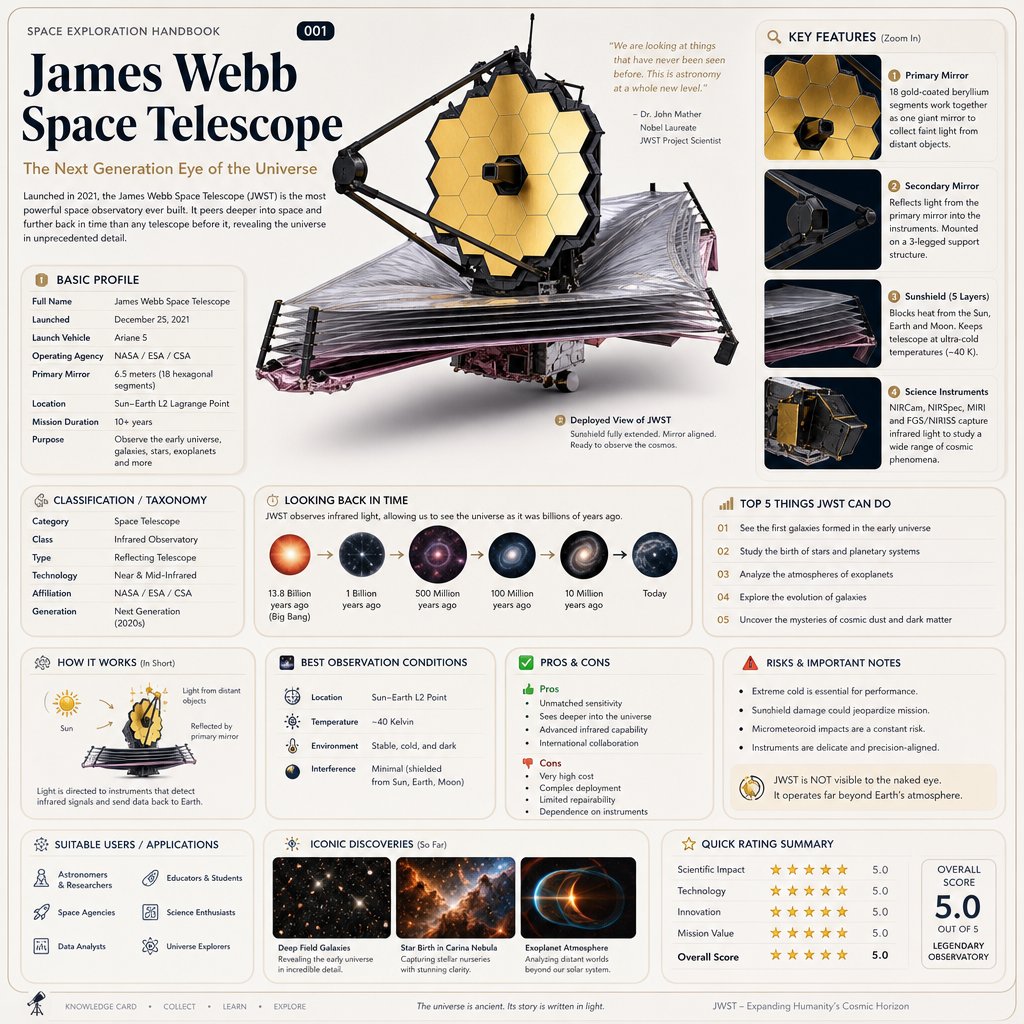 GPT Image 2
Based on { TOPIC }
Real prompt shared by @oggii_0 on X
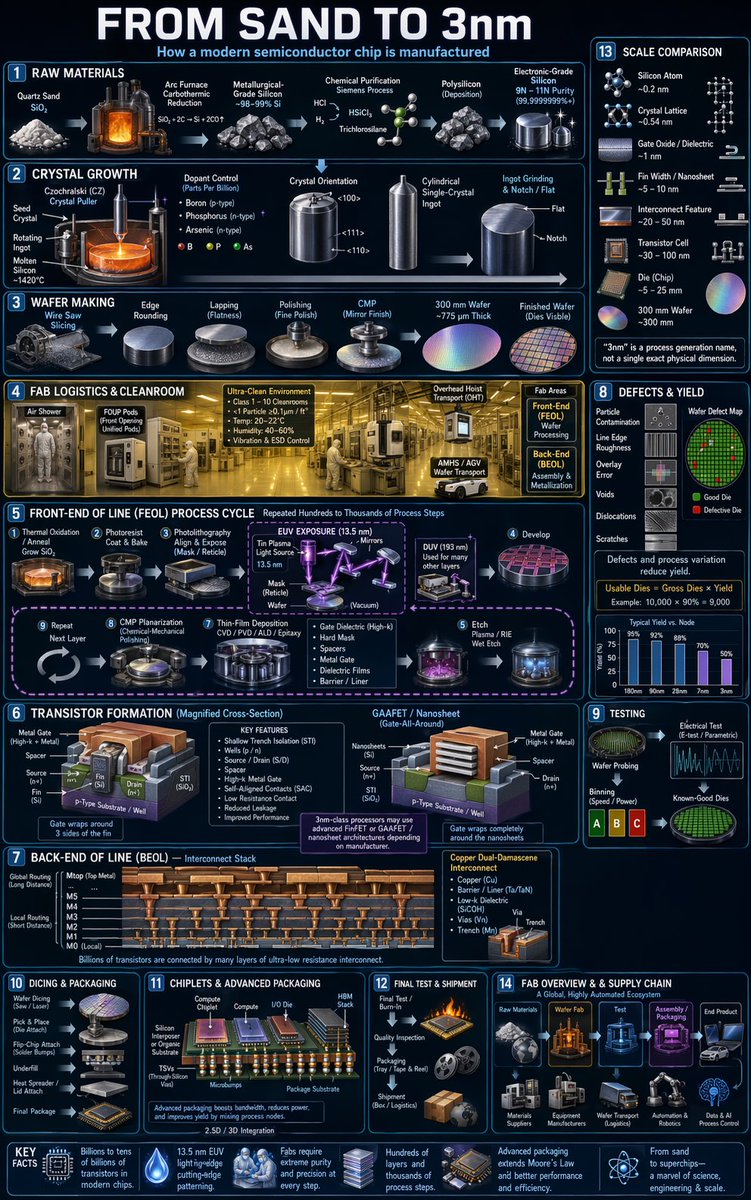 GPT Image 2
gpt-image-2
Real prompt shared by @rohanpaul_ai on X
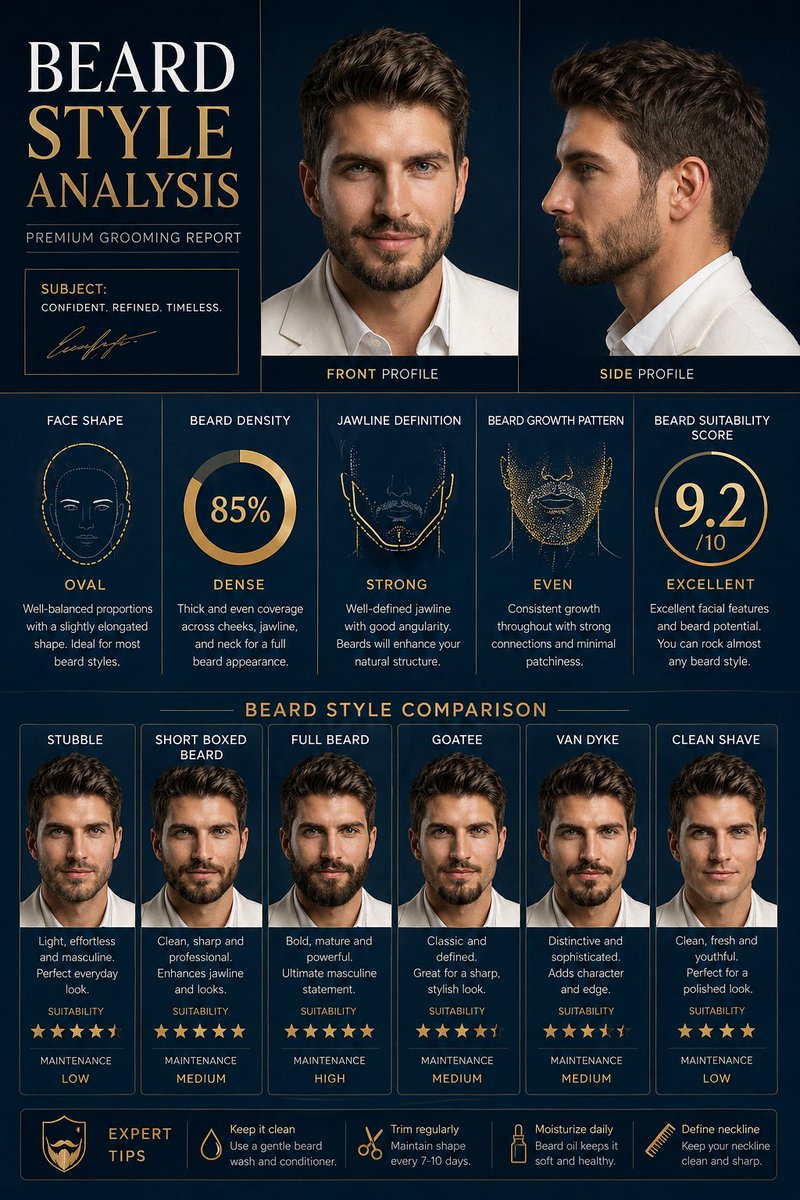 GPT Image 2
Comprehensive Facial Hair Analysis & Styling Guide 💎
Real prompt shared by @RizwanAly07 on X
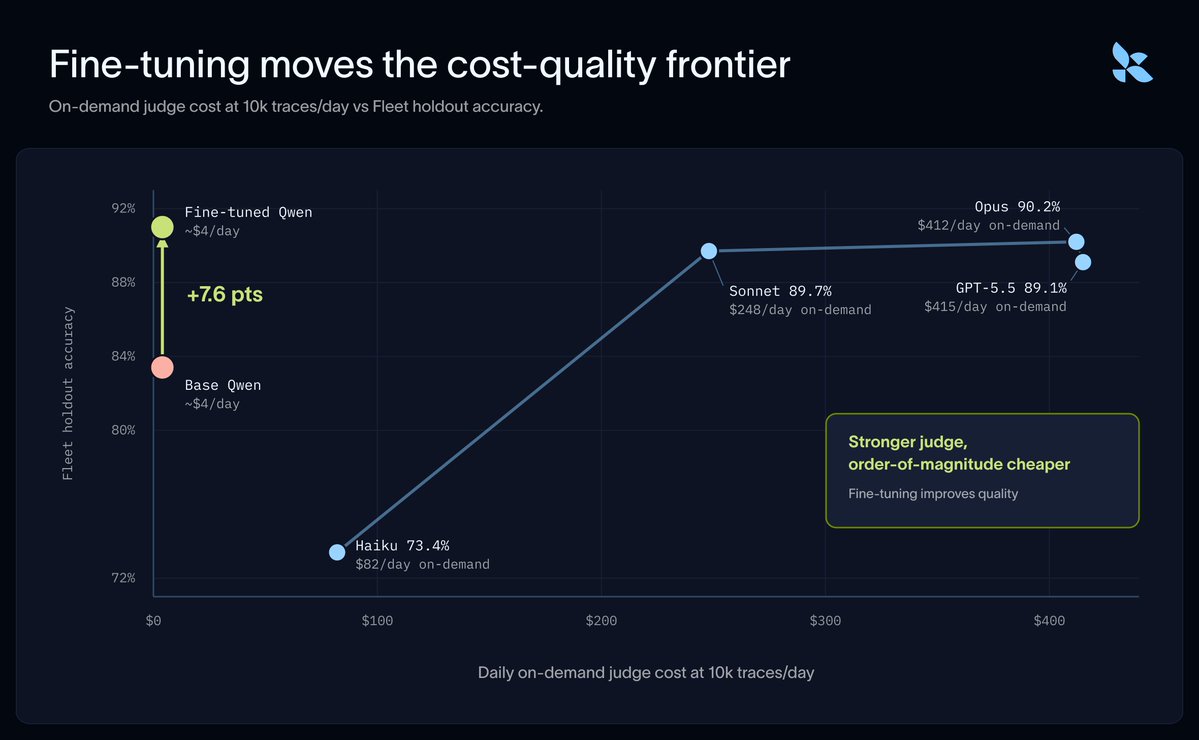 GPT Image 2
langchain and fireworks just shipped the eval move worth ste
Real prompt shared by @rohit4verse on X
 GPT Image 2
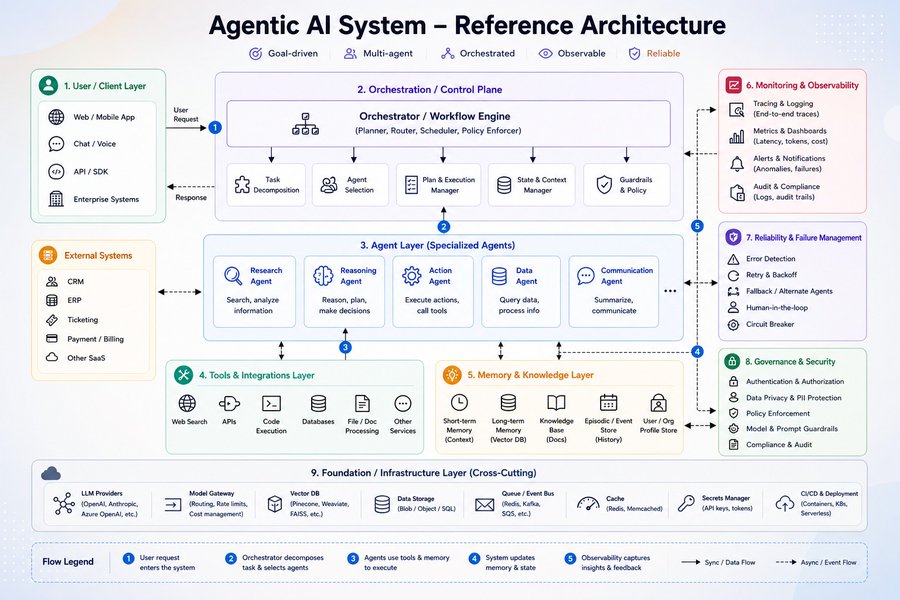
Most people talk about Agentic AI.
Real prompt shared by @MeenakshiYACS on X
 GPT Image 2
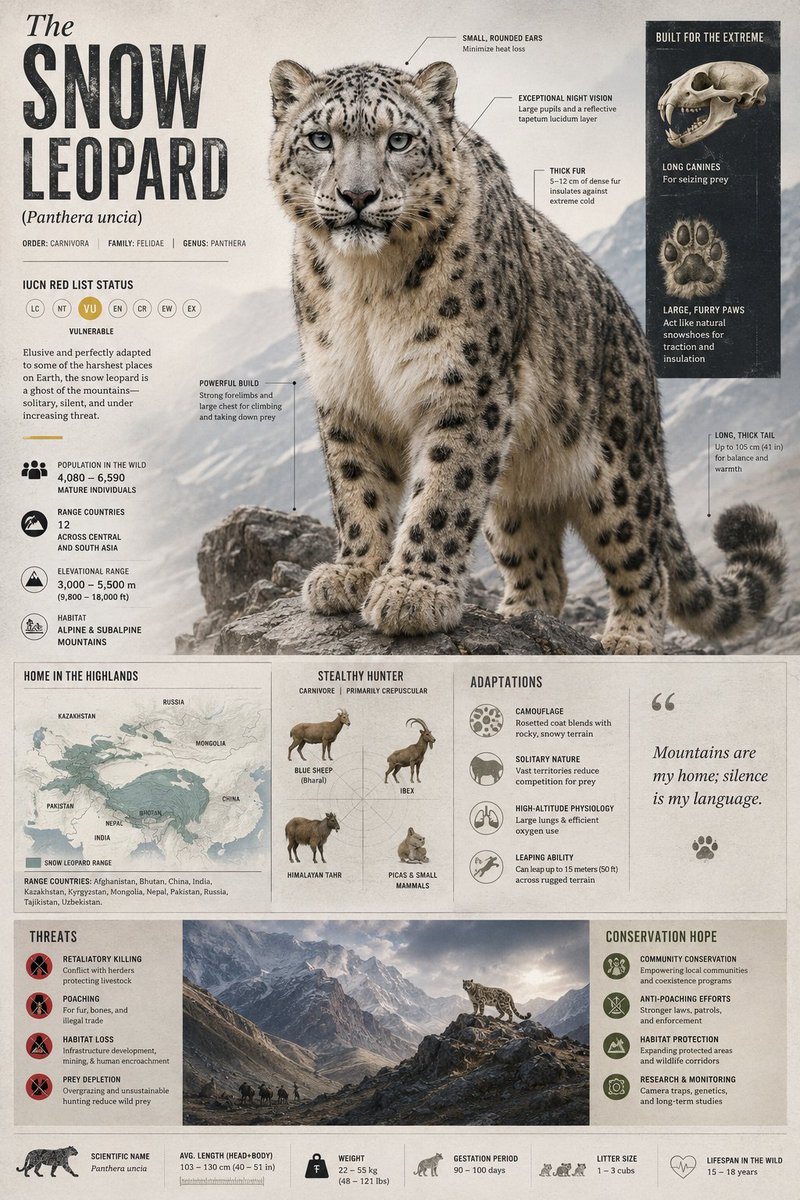
GPT Image 2 on ChatGPT
Real prompt shared by @john_my07 on X
 GPT Image 2
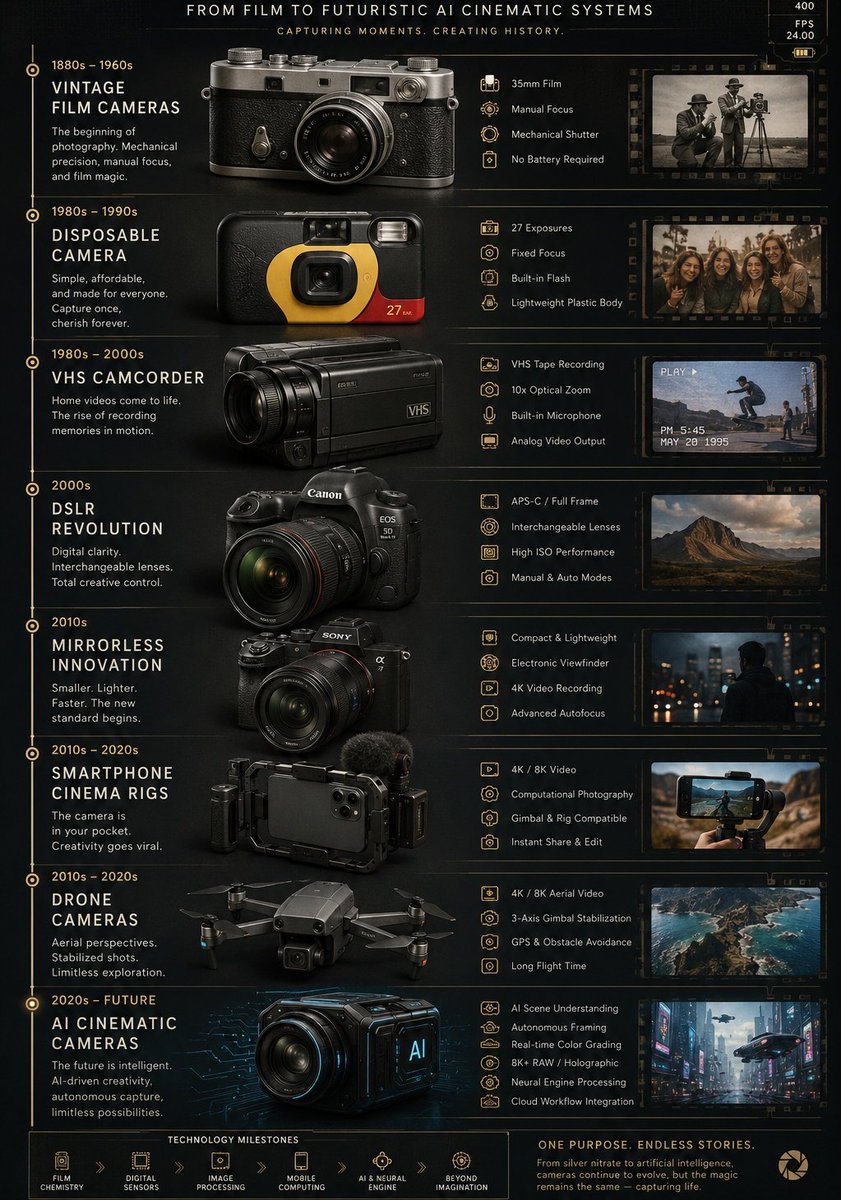
Ultra detailed vertical infographic poster showing the evolu
Real prompt shared by @AIwithkhan on X
 GPT Image 2
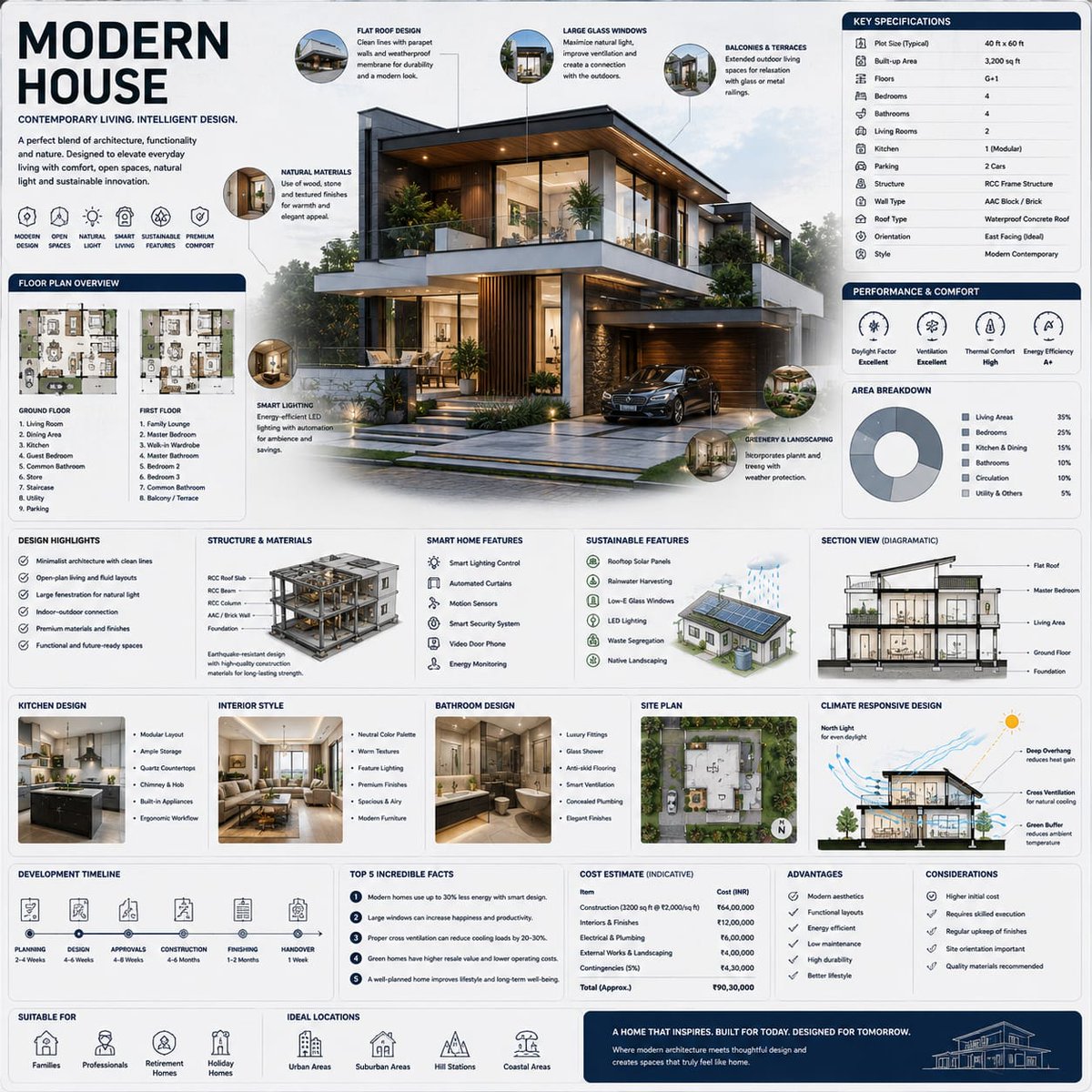
Modern House infographics created using GPT Image 2 on ChatG
Real prompt shared by @mehvishs25 on X